
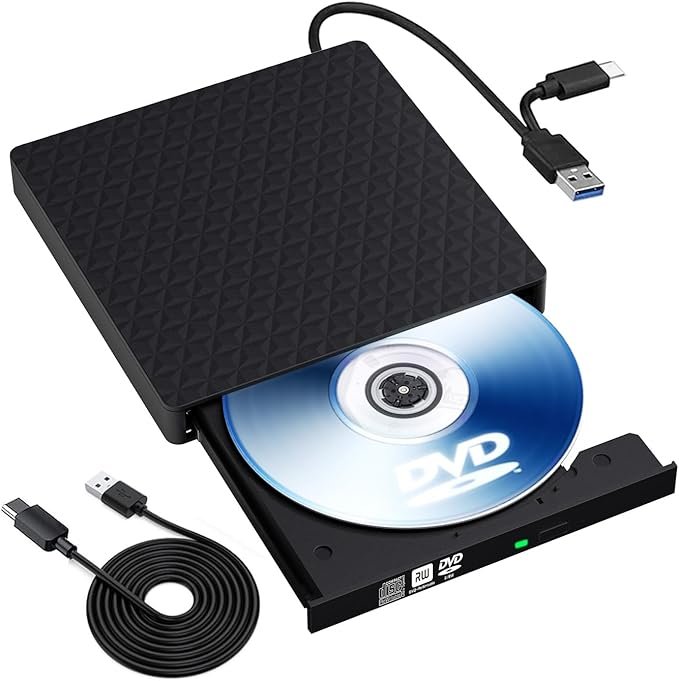
In 2026, many modern PCs and ultrabooks have completely phased out internal disc drives to keep designs thin. A Slim CD/DVD Drive is the modern solution—available as either a tiny internal component for small-form-factor builds or a portable external “plug-and-play” device.
Whether you need to install legacy software, watch a classic DVD, or create long-term data backups, here is the current state of slim optical drives.
1. External vs. Internal: Which do you need?
External Slim Drives (Most Popular)
These connect via USB-A or USB-C and require no internal installation.
- Best For: Laptops, MacBooks, and modern desktops without a drive bay.
- Portability: Usually weigh less than 350g and are about the thickness of a smartphone.
- Power: Most are “Bus-Powered,” meaning they draw power directly from your USB port without needing a separate wall plug.
Internal Slim Drives (Specialized)
These are typically 9.5mm or 12.7mm thick and connect via a Slimline SATA cable.
- Best For: Mini-ITX PC cases, All-in-One PCs, or repairing older laptops.
- Aesthetic: Sits flush with the computer case for a clean, built-in look.
2. Top-Rated Models in 2026
In 2026, reliability and connection speed (USB 3.0/3.2) are the primary differentiators between brands.
| Model | Type | Connection | Key Feature |
|---|---|---|---|
| ASUS ZenDrive U9M | External | USB-C & USB-A | Supports M-DISC (archival storage that lasts 1,000 years). |
| Dell DW316 | External | USB-A | Ultra-reliable “plug and play” standard for Windows 11. |
| HP External RW Drive | External | USB-A | Known for being extremely quiet during movie playback. |
| Verbatim Slimline | External | USB-C | 4K Ultra HD Blu-ray support (higher-end models). |
| LG Ultra Slim (Internal) | Internal | SATA | The standard replacement for laptop/mini-PC repairs. |
3. Key Features to Look For
- USB-C Compatibility: With the world moving to USB-C, look for a drive that includes a native Type-C cable or a high-quality adapter to avoid needing extra dongles.
- M-DISC Support: If you are backing up family photos or legal documents, M-DISC technology “etches” data into a stone-like layer, making it much more durable than standard dye-based discs.
- “Silent Play” Technology: Look for drives with smart speed adjustment. These spin the disc slower (and quieter) while you are watching a movie but speed up to full 8x/24x when you are copying data.
- Integrated USB Hubs: Some 2026 models are “6-in-1” or “8-in-1” devices, meaning the drive also functions as a USB hub with SD card readers and extra USB ports.
4. Setup and Troubleshooting Tips
- Power Issues: If the drive isn’t spinning up, ensure it is plugged directly into your PC’s motherboard port (the back of a desktop) rather than a cheap, non-powered USB hub.
- Software for Movies: Windows 10/11 and macOS do not include a native DVD player app anymore. You will likely need to download a free player like VLC Media Player to watch movies.
- Burning Data: For “burning” (writing) files to a disc, Windows and Mac have built-in tools (simply drag files to the disc icon), but for advanced tasks, software like Nero or BurnAware is still recommended.