
The Ultimate Guide to USB-C Flash Drives: Speed, Convenience, and Storage on the Go
In today’s fast-paced digital world, having fast and reliable storage is no longer optional—it’s essential. Whether you’re a student transferring files, a professional sharing presentations, or a creative storing high-resolution videos, a USB-C flash drive can simplify your workflow. Unlike traditional USB drives, USB-C drives offer faster data transfer speeds, universal compatibility with modern devices, and a compact, portable design that makes carrying files effortless.
In this comprehensive guide, we’ll explore everything you need to know about USB-C flash drives: their advantages, key features, different types, how to choose the right one, and the top considerations for maximizing your investment.
What is a USB-C Flash Drive?
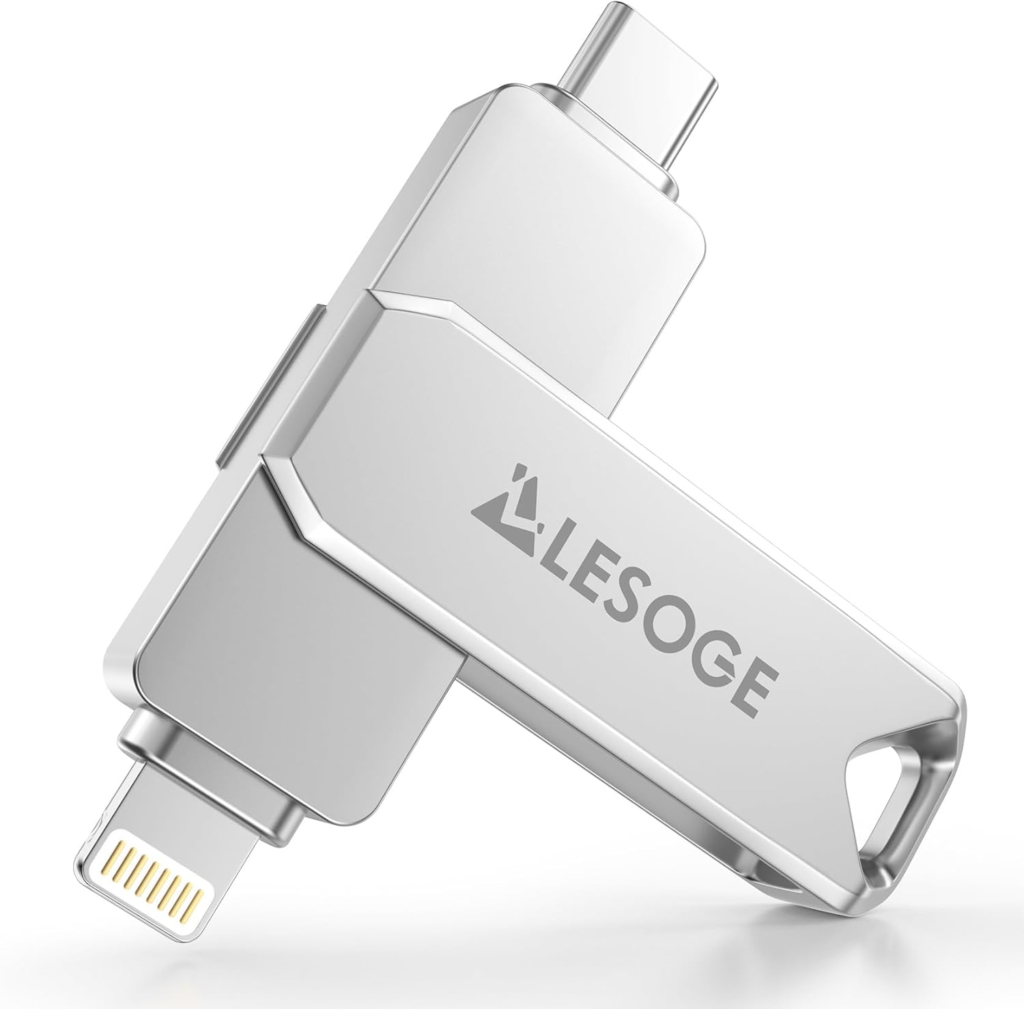
A USB-C flash drive is a portable storage device that uses the USB Type-C connector, a reversible interface compatible with modern laptops, smartphones, tablets, and other devices. Unlike the older USB-A standard, USB-C is designed to support faster data transfer speeds, improved power delivery, and universal connectivity across a range of devices.
USB-C drives are ideal for anyone who works with large files, travels frequently, or needs a convenient way to transfer data without relying solely on cloud storage.
Advantages of USB-C Flash Drives
1. Fast Data Transfer
USB-C drives support modern protocols like USB 3.1, USB 3.2, and even Thunderbolt 3 or 4 in some cases. This allows files such as 4K videos, high-resolution images, and large databases to transfer in seconds rather than minutes.
2. Universal Compatibility
Many new laptops, tablets, and smartphones feature USB-C ports. This eliminates the need for adapters or multiple drives and ensures seamless compatibility across devices.
3. Compact and Portable
Most USB-C flash drives are small, lightweight, and pocket-friendly, making them easy to carry on a keychain, in a bag, or even attached to your laptop.
4. Plug-and-Play Convenience
USB-C flash drives are generally plug-and-play, meaning no additional software installation is required. Simply connect to a compatible port, and your files are ready to access.
5. Durability and Reliability
Many USB-C drives are built with metal casings or rugged designs that resist drops, scratches, and everyday wear and tear, protecting your important data.
Types of USB-C Flash Drives
USB-C flash drives are available in different designs and configurations to suit varying needs:
1. Standard USB-C Flash Drives
- Features: Simple, lightweight, portable, usually with plastic or metal casing.
- Best For: Everyday file storage and basic data transfer.
2. Dual USB Drives
- Features: Have both USB-C and USB-A connectors, enabling compatibility with older devices.
- Best For: Users transitioning between older and newer technology.
3. High-Speed / Premium USB-C Drives
- Features: Support USB 3.1, USB 3.2, or Thunderbolt speeds for faster file transfers.
- Best For: Creative professionals, video editors, or anyone dealing with large files.
4. Encrypted / Security-Focused Drives
- Features: Built-in encryption and password protection to secure sensitive data.
- Best For: Professionals handling confidential information or personal data.
Key Features to Consider When Buying a USB-C Flash Drive
Choosing the right USB-C flash drive depends on your storage needs, usage patterns, and the devices you plan to connect. Here are the most important factors to consider:
1. Storage Capacity
USB-C drives come in capacities ranging from 32GB to 2TB. Choose based on your typical file sizes:
- 32–128GB: Documents, presentations, basic media files.
- 256–512GB: High-resolution photos, videos, software, and project files.
- 1TB–2TB: Large video projects, backups, and professional media libraries.
2. Data Transfer Speed
Look for USB 3.1, 3.2, or Thunderbolt 3/4 for faster read and write speeds, especially if you frequently transfer large files.
3. Build Quality
Metal casings provide durability, while rugged designs offer resistance against drops, shocks, and water.
4. Compatibility
Ensure the drive works with your devices. Some drives support Windows, Mac, and Android, while others are limited to certain platforms.
5. Design and Portability
Slim, retractable, or keychain-friendly designs make a USB-C drive easy to carry, reducing the risk of misplacement.
6. Security Features
If you store sensitive information, choose drives with encryption, password protection, or biometric access features.
How to Use a USB-C Flash Drive
Using a USB-C flash drive is simple, but a few best practices can improve efficiency and safety:
- Plug and Play: Insert the drive into a USB-C port; the device should recognize it automatically.
- Safely Eject: Always eject the drive safely to prevent data corruption.
- Backup Important Files: Avoid storing your only copy on a single flash drive.
- Format Appropriately: Use exFAT for cross-platform compatibility, especially if you share between Windows and Mac devices.
- Organize Files: Create folders and label files to keep your data organized and easy to access.
Benefits of Investing in a High-Quality USB-C Flash Drive
- Time-Saving: Quickly transfer large files without relying on slower cloud storage.
- Portability: Carry terabytes of data in a pocket-sized device.
- Durability: Protects files against wear, tear, and environmental damage.
- Compatibility: Works seamlessly across laptops, tablets, and smartphones.
- Data Security: Advanced drives provide encryption and password protection.
Recommended Use Cases
USB-C flash drives are ideal for:
- Students storing assignments, presentations, and notes.
- Professionals sharing large files in meetings or presentations.
- Photographers and videographers transferring raw media files.
- Travelers who need portable access to important documents.
- Anyone looking for a fast, reliable backup solution.
Final Thoughts
A USB-C flash drive is more than just a storage device—it’s a convenient, fast, and versatile tool that can transform how you manage and transfer data. Whether you need a simple, portable drive for everyday use or a high-speed model for professional applications, investing in a quality USB-C drive ensures your files are secure, accessible, and transferable anytime, anywhere.
By understanding storage capacity, speed, build quality, and compatibility, you can choose a drive that fits your lifestyle and digital needs. In an age where efficiency and portability are paramount, a USB-C flash drive is an indispensable accessory for students, professionals, creatives, and tech enthusiasts alike.